How do I translate my listing into English?

To ensure your services are also shown to international event planners, please translate your listing into English. You can find out how to do this in the following step-by-step guide.


How do I translate my listing?

To translate your listing into English, go back to “My area” and click “Edit” to the right of your listing. A drop-down menu will open and the “Translate” option will appear.

Maintaining the English version works in exactly the same way as editing the German listing.
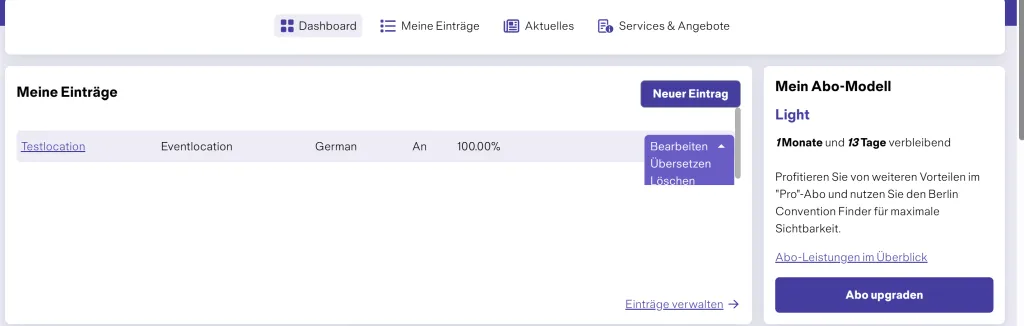
Menu settings page with options to enable or disable Main Axis Robot.

Are there any additional costs for the English listing?

There are no additional costs for translating your listing. The English listing is not considered a separate listing, but the same listing in another language. This ensures that your services are also shown to international event planners.

We recommend always creating the English version in parallel with the German listing, so that both language versions remain complete and up to date.