Request approval
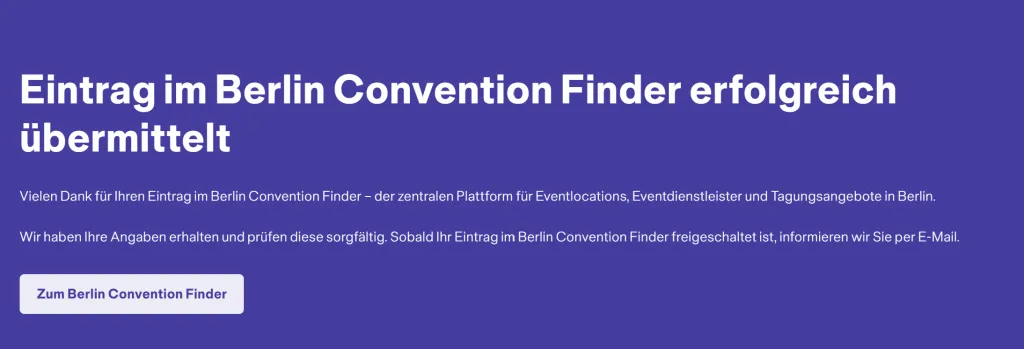
Before your content can be published, please submit your changes to us for review using the green “Send for review” button. Your entry will only be published in the Berlin Convention Finder once it has successfully passed our editorial review.
Please note: Until you submit your content for review, your entry will not be publicly visible and cannot be found by clients in the Berlin Convention Finder.
We recommend creating your entry immediately after registration and submitting it for approval promptly, so you can benefit from maximum visibility in the Berlin Convention Finder. Once published, you can view your entry in the Berlin Convention Finder and check whether the presentation meets your expectations. If any adjustments are required, please edit the entry again and resubmit it for approval.
As soon as we have reviewed your entry in accordance with our quality criteria, you will receive an email notification confirming its publication.
If we are unable to approve your changes, this is usually due to a breach of our quality criteria or incomplete information.
In this case, please review your content. If you have any questions or require clarification, please contact berlinconventionfinder@visitBerlin.de.