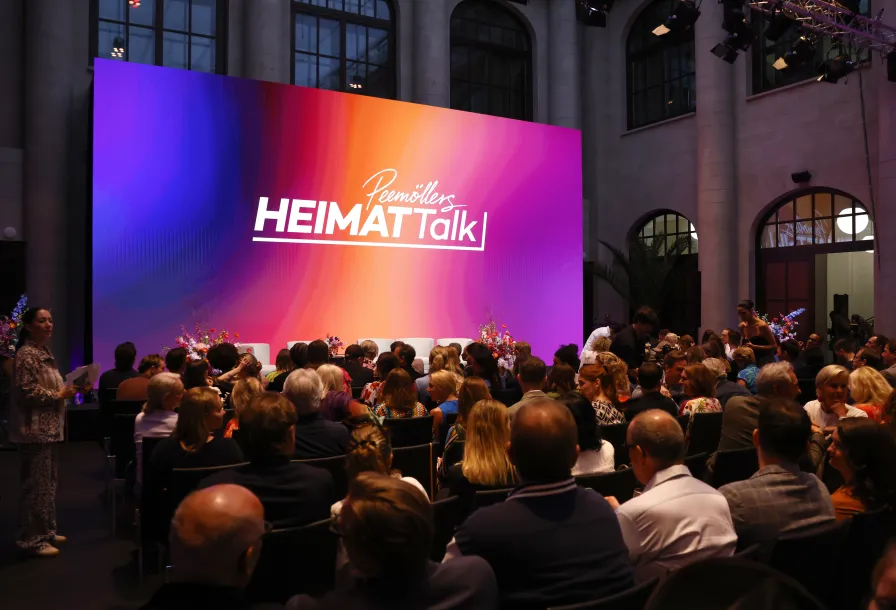
Berlin: Open space for your event
In Berlin, the city of freedom, ideas come to life. International connections, creative energy, and unique locations make the metropolis the perfect stage for successful events. The Berlin Convention Office at visitBerlin provides you with free and independent support for your event planning—from the initial idea to the final applause. Our team will find the ideal venue for you and put you in touch with partners from the event industry – so you can concentrate fully on the success of your event.
Discover why Berlin is one of the world's leading meeting destinations – and the ideal location for your next event.


9 reasons to host your event in Berlin
Berlin blends history with innovation – creating the perfect setting for events with character. Outstanding infrastructure, a wide variety of conference venues and a vibrant creative scene make the city a hotspot for congresses and business events. Turn your event in Berlin into an experience to remember.
A one-of-a-kind event landscape
 visitBerlin, Foto: Mike Auerbach
Berlin offers the perfect venue for every type of event, with over 400 locations as diverse as the city itself. Whether it’s a conference in an underground club, an incentive in a disused industrial hall, an open-air event by the water or a major congress centre – Berlin’s venues are virtually limitless.
Outstanding value for money
 gettyimages, Foto: Westend61
Compared to other major European cities, Berlin stands out for its cost-effective venues and services. Whether you’re planning a premium event or a budget-friendly meeting, Berlin has the right option for every format. The mix of moderate pricing and high quality makes Berlin a smart, cost-efficient event destination.
Accommodation to suit every need
 Getty Images, Foto: spyderskidoo
With around 140,000 beds across more than 700 establishments – more than Manhattan – Berlin offers a wide range of hotels. From five-star luxury and modern business hotels to stylish budget design options, every segment is covered. This broad offering means that even last-minute bookings are often easy to arrange.
A focus on sustainability
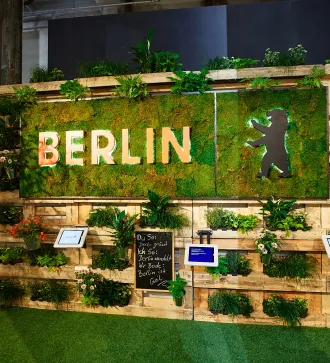 GREENTECHSHOW GmbH
Berlin ranks fourth among participating cities in the Global Destination Sustainability Index – a result of its ambitious sustainability strategy. Event organisers benefit from the Sustainable Berlin programme as well as a broad selection of certified suppliers, hotels and venues. With 2,500 parks and 30 percent green space, Berlin is also one of Europe’s greenest major cities.
A truly international city
 Getty Images, Foto: Rawpixel Ltd
Berlin is a multicultural metropolis with high levels of multilingualism. Around 30 percent of its population were born abroad or are children of immigrants, and more than 100 languages are spoken across the city. This diversity extends into the event industry, with many teams and suppliers working in multiple languages – ideal for events with international audiences.
Easily accessible
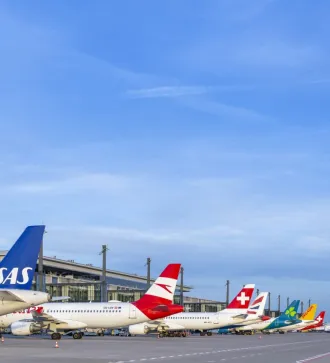 Copyright: Günter Wicker / Flughafen Berlin Brandenburg GmbH
Berlin is extremely well connected. BER is served by over 70 airlines, linking the city to around 150 destinations in 50 countries. High-speed ICE trains provide direct access to cities like Paris, Amsterdam, Warsaw and Prague. Within Berlin, the extensive public transport system makes it easy for guests to get to your event quickly and comfortably.
A hub for innovation and science
 Getty Images, Foto: Westend 61
With around 500 start-ups launched each year, Berlin is Germany’s start-up capital – ahead of Munich. The city’s vibrant tech and research scene, featuring over 40 top universities and research institutions, provides the perfect environment for knowledge transfer, networking and innovative inspiration at events.
Europe’s creative capital
 DZT, Foto: Dagmar Schwelle
Berlin is a European hotspot for art and culture. Its unique mix of history and creativity provides an inspiring setting for imaginative events. Recognised as a UNESCO City of Design, Berlin is home to around 150 stages, 170 museums and 290 galleries – including the East Side Gallery, the world’s longest open-air gallery.
Culinary variety for every palate
 visitBerlin, Foto: GettyImages_d3sign
Berlin’s food scene offers something for everyone – from traditional local fare to global cuisine, from Michelin-starred fine dining to buzzing street food markets. With 21 Michelin stars, Berlin is Germany’s gourmet capital. The city also leads nationally with 225 vegan or vegetarian restaurants.


Berlin Convention Office: Your event in the best hands
Planning a congress, business meeting or hybrid specialist conference in Berlin? Our team is here to support you with personal, free and impartial advice. Meet your direct contacts here for successful event planning.